Payment Procedure
After passport upload, profile update and O-Level entry, candidates are required to pay the application fee via
remita as follows:
- Move to payment page To generate Invoice, click on generate invoice from the menu as indicated in figure 1 below:
- Generate Invoice Click generate invoice button to generate invoice after confirming your email and phone number as indicated in the image below:
- Pay with Quick Teller Click pay button to pay directly with Quick Teller platform as shown below:
- Interswitch Payment After clicking the button in the step above, Quick Teller page will be launched as indicated below.
- Confirm Payment After the payment, the application will automatically process the payment. In the event you pay via bank, you need to manually click Check Payment Status to process the payment as indicated below:
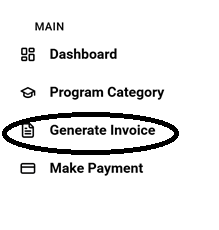
Figure 1
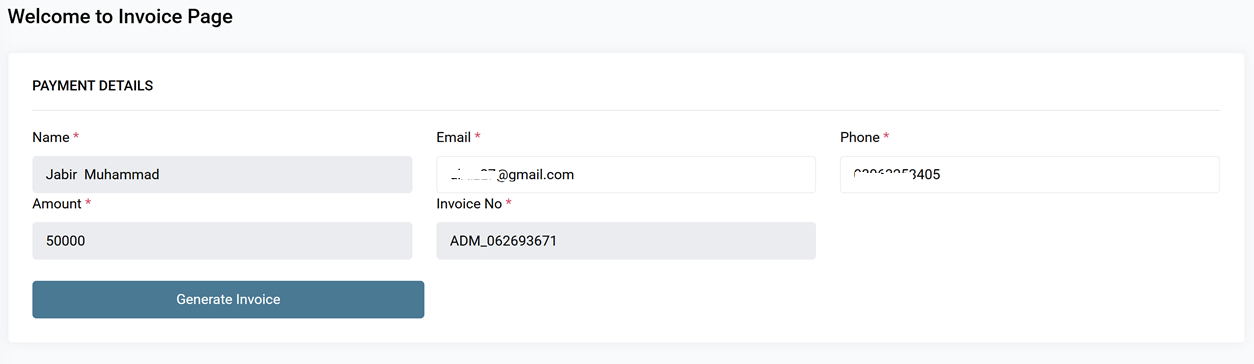
Figure 2
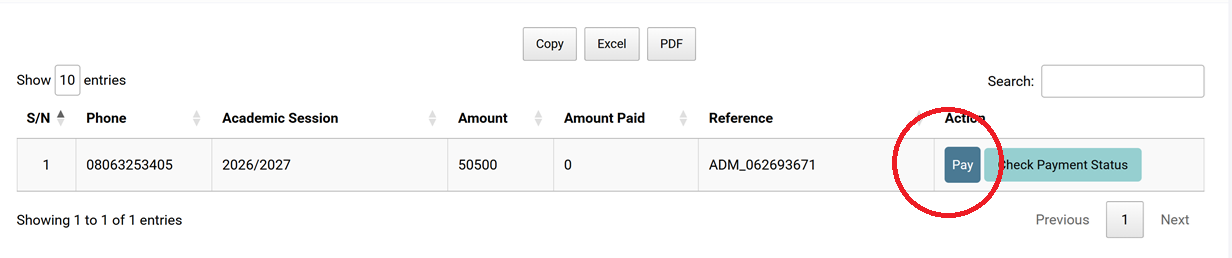
Figure 3
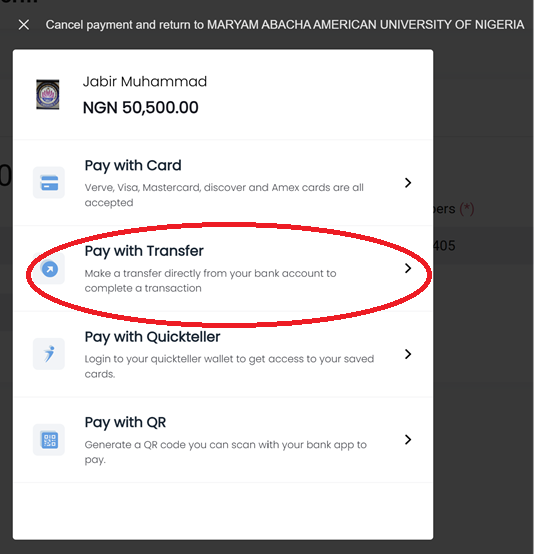
Figure 4
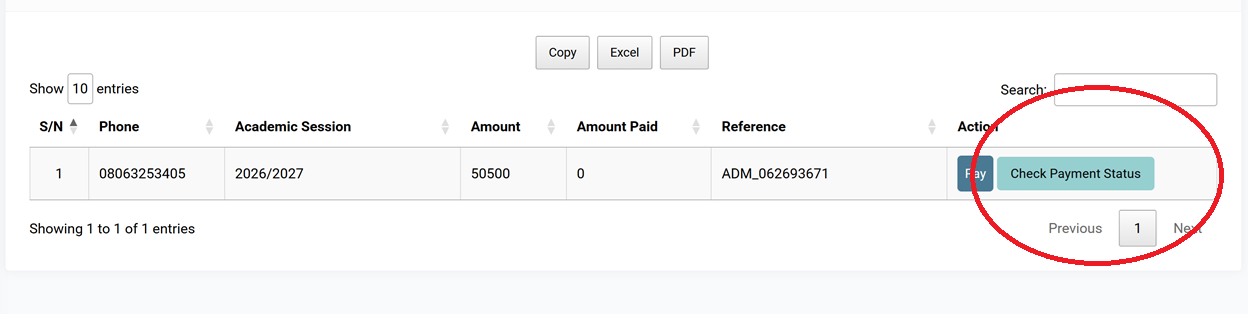
Figure 5